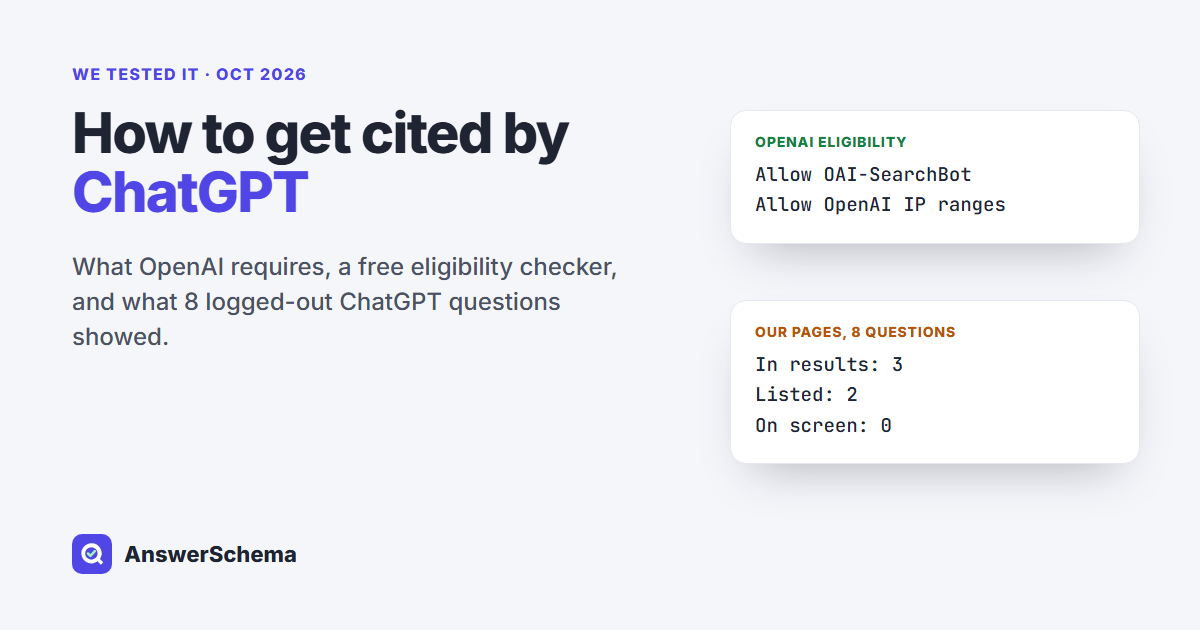
Short answer: To get cited by ChatGPT, first make your page eligible: allow OAI-SearchBot in robots.txt and make sure your host or CDN lets OpenAI’s published IP addresses through. That is all OpenAI’s help page lists. After that, OpenAI says it ranks results by several factors and placement is not guaranteed. In our test, our pages turned up in ChatGPT’s search results 3 times and on screen 0 times.
Tested on Oct 13, 2026. What we did: we asked ChatGPT 8 questions while logged out, in temporary chats, adding “Search the web and cite your sources” to each. We saved each conversation’s data and ran the free checker below on all 122 pages the 8 answers listed as sources, plus our own six posts. Six of the questions match topics of our earlier posts. What we did not test: logged-in or paid ChatGPT, repeat runs (answers change), other locations (the browser’s ChatGPT interface showed in Korean, and local results can depend on location), the sources hidden behind collapsed “+1” citation chips, and OpenAI’s own pages, which we left out of every count. One run per question, from one browser session.
What does OpenAI say gets a page into ChatGPT search?
Two things, and OpenAI calls them eligibility, not a ranking boost. Its help page Searching the web with ChatGPT says: “To make a website eligible for inclusion, allow OAI-Searchbot to crawl the site and confirm that the website host or content delivery network allows traffic from OpenAI’s published searchbot IP addresses.” The sentence before it reads: “ChatGPT ranks search results using multiple factors intended to help users find relevant, reliable information. Placement is not guaranteed.”
OpenAI’s crawler page adds the details you need for robots.txt:
- OAI-SearchBot is the crawler for ChatGPT’s search features. Sites that opt out of it “will not be shown in ChatGPT search answers, though can still appear as navigational links.”
- GPTBot is a separate setting for model training. You can block GPTBot and still allow OAI-SearchBot.
- After you change robots.txt, OpenAI says it can take about 24 hours for search to adjust.
- ChatGPT-User may visit pages when a person asks ChatGPT something. OpenAI says robots.txt rules may not apply to it, and it is not used to decide what appears in search.
- OpenAI publishes OAI-SearchBot’s IP ranges at openai.com/searchbot.json.
So the only lever these two OpenAI pages document is access. Neither page mentions schema or llms.txt, and neither describes a way to submit a site for search. (The word “submit” appears only for pages submitted as ChatGPT ads.)
How do I check whether my page is eligible?
Run the free script below on any URL. It checks the robots.txt part and one server-side part of what OpenAI’s help page lists:
- robots.txt: is OAI-SearchBot allowed to crawl this exact URL? It reads your robots.txt the way the robots.txt standard (RFC 9309) says crawlers should: a named group beats the * group, the longest matching rule wins, and a robots.txt that returns 4xx means “allow all” while 5xx means “disallow all”. GPTBot is shown too, since it is a separate setting.
- Server: does your page answer a request that carries OAI-SearchBot’s user-agent string the same way it answers a browser? A different status code can point to a firewall or bot-protection rule keyed on the user agent. A 429 usually means rate limiting instead.
It can’t test the IP part. Your firewall sees your IP address, not OpenAI’s, so if your CDN filters by IP, check its bot settings against OpenAI’s published list by hand. Python 3, standard library only (it uses certifi for certificates if it is installed):
#!/usr/bin/env python3
"""chatgpt-search-check.py - checks the parts of ChatGPT search eligibility you can test from outside OpenAI.

  python3 chatgpt-search-check.py https://example.com/page/ [more URLs ...]

1. robots.txt: is OAI-SearchBot allowed to crawl this URL? (GPTBot shown too; it is a separate setting)
2. Server: does the page answer a request that carries OAI-SearchBot's user-agent string?
   This only catches blocks keyed on the user-agent. Blocks keyed on IP address can't be tested from your machine.
   A 429 status usually means rate limiting, not a bot block.

Robots matching follows RFC 9309: case-insensitive group match, merged groups, "*" fallback,
longest match wins, allow wins a tie, * and $ wildcards, 4xx robots.txt = allow all, 5xx = disallow all.
Paths and rules are percent-encoded the same way before matching.
If robots.txt can't be fetched at all from your machine (timeout, TLS error), the URL is reported as not checked.
Standard library only (uses certifi for certificates if it is installed).
"""
import re, ssl, sys, urllib.error, urllib.request
from urllib.parse import quote, unquote, urlsplit

OAI_UA = ("Mozilla/5.0 (Macintosh; Intel Mac OS X 10_15_7) AppleWebKit/537.36 (KHTML, like Gecko) "
          "Chrome/131.0.0.0 Safari/537.36; compatible; OAI-SearchBot/1.4; +https://openai.com/searchbot")
try:  # use certifi's CA list when it is installed
    import certifi
    CTX = ssl.create_default_context(cafile=certifi.where())
except ImportError:
    CTX = ssl.create_default_context()
BROWSER_UA = ("Mozilla/5.0 (Windows NT 10.0; Win64; x64) AppleWebKit/537.36 (KHTML, like Gecko) "
              "Chrome/131.0.0.0 Safari/537.36")


def fetch(url, ua):
    req = urllib.request.Request(url, headers={"User-Agent": ua})
    try:
        with urllib.request.urlopen(req, timeout=20, context=CTX) as r:
            return r.status, r.read(600_000).decode("utf-8", "replace")
    except urllib.error.HTTPError as e:
        return e.code, ""
    except Exception as e:
        return f"error: {type(e).__name__}", ""


def groups(text):
    """Return {token: [(allow, path), ...]} with groups for the same token merged."""
    out, agents, in_rules = {}, [], False
    for line in text.splitlines():
        line = line.split("#", 1)[0].strip()
        if ":" not in line:
            continue
        key, val = (s.strip() for s in line.split(":", 1))
        key = key.lower()
        if key == "user-agent":
            if in_rules:
                agents, in_rules = [], False
            agents.append(val.lower())
            out.setdefault(val.lower(), [])
        elif key in ("allow", "disallow") and agents:
            in_rules = True
            if val:
                for a in agents:
                    out[a].append((key == "allow", val))
    return out


def enc(s):
    return quote(unquote(s), safe="/?&=:@!$'()*+,;~-._")


def matches(rule, path):
    rule, path = enc(rule), enc(path)
    pattern = re.escape(rule).replace(r"\*", ".*")
    if pattern.endswith(r"\$"):
        pattern = pattern[:-2] + "$"
    return re.match(pattern, path) is not None


def allowed(rules_by_token, token, path):
    rules = rules_by_token.get(token.lower(), rules_by_token.get("*", []))
    best = None  # (length, allow)
    for allow, rule in rules:
        if matches(rule, path):
            cand = (len(rule), allow)
            if best is None or cand[0] > best[0] or (cand[0] == best[0] and allow):
                best = cand
    return True if best is None else best[1]


def check(url):
    p = urlsplit(url)
    path = (p.path or "/") + (f"?{p.query}" if p.query else "")
    status, text = fetch(f"{p.scheme}://{p.netloc}/robots.txt", OAI_UA)
    if isinstance(status, int) and 200 <= status < 300:
        rules = groups(text)
        verdict = {t: allowed(rules, t, path) for t in ("OAI-SearchBot", "GPTBot")}
        robots = f"robots.txt {status}"
    elif isinstance(status, int) and 400 <= status < 500:
        verdict, robots = {"OAI-SearchBot": True, "GPTBot": True}, f"robots.txt {status} (allow all)"
    elif isinstance(status, int):
        verdict, robots = {"OAI-SearchBot": False, "GPTBot": False}, f"robots.txt {status} (treat as disallow all)"
    else:  # no HTTP answer reached this machine: report it, don't guess
        print(f"{url}\n  robots.txt could not be checked from here ({status})")
        return None, status, None
    page_bot, _ = fetch(url, OAI_UA)
    page_browser, _ = fetch(url, BROWSER_UA)
    flag = "  <- user-agent block?" if page_bot != page_browser else ""
    print(f"{url}\n  {robots} | OAI-SearchBot {'allowed' if verdict['OAI-SearchBot'] else 'BLOCKED'}"
          f" | GPTBot {'allowed' if verdict['GPTBot'] else 'blocked'}"
          f" | page as OAI-SearchBot: {page_bot} | as browser: {page_browser}{flag}")
    return verdict["OAI-SearchBot"], page_bot, page_browser


if __name__ == "__main__":
    if len(sys.argv) < 2:
        sys.exit(__doc__)
    for u in sys.argv[1:]:
        check(u)
Save it as chatgpt-search-check.py and run python3 chatgpt-search-check.py https://yoursite.com/your-post/. Here is the real output for two of our posts (all six of ours came back the same):
https://answerschema.com/duplicate-faq-schema/
  robots.txt 200 | OAI-SearchBot allowed | GPTBot allowed | page as OAI-SearchBot: 200 | as browser: 200
llms.txt 404 in WordPress: Find the Real Cause in One Command
  robots.txt 200 | OAI-SearchBot allowed | GPTBot allowed | page as OAI-SearchBot: 200 | as browser: 200
Before publishing we ran the robots.txt matcher against 13 test cases, including an own-group-overrides-* case, a longest-match case, wildcards, merged groups and a percent-encoded path. All 13 passed. Our first scan went wrong in a useful way: Python on our test PC rejected certificates with “certificate has expired” errors, so 20 pages came back as errors instead of status codes. The script now uses certifi’s certificate list when it is installed and reports “could not be checked from here” instead of guessing.
What happened when we asked ChatGPT 8 questions?
ChatGPT searched the web for all 8 questions. The conversation data shows three layers: the search results ChatGPT pulled, the pages listed as sources for the answer, and the links you see on screen by default. Our own posts showed up in the first layer 3 times, in the second layer 2 times, and on screen 0 times.
| Question (shortened) | Search results | Listed sources | Links on screen | Our page |
|---|---|---|---|---|
| How do I add FAQ schema to WordPress? | 55 | 33 | 6 | In results only |
| Block GPTBot but stay in ChatGPT search? | 12 | 4 | 0 | No |
| What is OAI-SearchBot? | 10 | 10 | 0 | No |
| Why does llms.txt return a 404 in WordPress? | 32 | 14 | 3 | Listed, not on screen |
| What does Google-Extended block? | 21 | 22 | 3 | No |
| Is duplicate FAQ schema a problem? | 20 | 19 | 6 | Listed, not on screen |
| How do I get my site cited by ChatGPT? | 26 | 10 | 2 | No |
| Does llms.txt help SEO? | 36 | 16 | 1 | No |
Two results surprised us. Our OAI-SearchBot guide has almost the same title as question 3 and did not appear in any layer. And the 19 links shown on screen went to Google’s documentation, help pages and testing tools, schema.org’s site and validator, wordpress.org, Yoast, Rank Math and one Stack Exchange thread: 11 of the 19 were Google or schema.org pages.
Did the cited pages have anything in common?
Almost all of them let OAI-SearchBot in, which is what OpenAI’s rule predicts. We ran the checker on all 122 listed sources. 121 could be checked; one, a proxy link on rankytools.com, could not be reached from our machine.
| Check | Result |
|---|---|
| robots.txt allows OAI-SearchBot | 120 of 121 |
| robots.txt blocks OAI-SearchBot | 1 (a t.co short link; t.co’s robots.txt disallows every bot except a few by name) |
| Page returned 200 to OAI-SearchBot’s user agent | 114 of 121 |
| Other statuses | 429 x3, 403 x2, 402 x1, 404 x1 |
That supports reading eligibility as an entry ticket: nearly every page in the pool had it, so robots.txt access can’t be what separated the pages shown on screen from the ones that were only listed. Our two listed posts passed the same checks.
Does ChatGPT use Bing to find pages?
OpenAI doesn’t say which index answers a given question. Its help page says ChatGPT search “sometimes partners with other search providers” and that it “typically rewrites your query into one or more targeted queries” sent to those providers. For how those providers handle queries, it links two privacy statements: Microsoft’s and Shopify’s.
We read that as a reason to check your Bing indexing as well as OAI-SearchBot access, since Microsoft is one of the named providers. Bing Webmaster Tools has a URL Inspection tool for that.
How can I tell if ChatGPT sends me traffic?
Look for utm_source=chatgpt.com in your analytics. In the data for our first test answer, 54 of the 55 result links had ?utm_source=chatgpt.com added to the URL. ChatGPT added that tag, not the sites. We didn’t test actual clicks, so we can’t say every visit carries it.
What should I do after the page is eligible?
The help page’s only stated ranking goal is “relevant, reliable information”, so we can’t hand you a proven formula. What we can say from this test is narrower:
- Run the checker on your most important pages and fix any BLOCKED result or user-agent mismatch first. Allowing OAI-SearchBot is the one step OpenAI documents.
- Check that Bing has indexed those pages.
- Don’t expect a matching title to be enough. Our OAI-SearchBot post wasn’t picked up for a near-identical question.
- Repeat your own test later. ChatGPT’s help page warns that search results and citations “can be incomplete, outdated, or incorrect”, and one run per question is a small sample.
Our earlier guides cover the robots.txt side in more depth: Block AI Training, Allow AI Search has three tested setups, and the AI crawler robots.txt checker tests 16 bots in your browser.
Where does AI FAQ Schema fit?
AI FAQ Schema is our free WordPress plugin. Its AI Crawler Control screen lists 14 AI crawlers, including OAI-SearchBot, GPTBot and ChatGPT-User, with a block checkbox for each that writes a rule into your robots.txt; everything is allowed by default. OpenAI says robots.txt may not apply to ChatGPT-User. Its AI Crawler Visits screen shows which AI crawlers read your site over the last 30 days. Neither feature can make ChatGPT cite you. They help with the part OpenAI does document: letting OAI-SearchBot in.
FAQs
How do I get my website cited by ChatGPT?
Make the page eligible first: allow OAI-SearchBot in robots.txt and let OpenAI's published IP ranges through your host or CDN. OpenAI's help page says that is what eligibility takes and that placement is not guaranteed after that.
Can I submit my site to ChatGPT search?
OpenAI's help page and crawler page don't describe a submission form. The documented route is access: allow OAI-SearchBot and OpenAI's IP ranges, then wait. OpenAI says robots.txt changes can take about 24 hours to take effect for search.
If I block GPTBot, can ChatGPT still cite me?
It can. OpenAI treats GPTBot (training) and OAI-SearchBot (search) as independent settings, so you can disallow GPTBot and keep OAI-SearchBot allowed.
Does schema markup or llms.txt get you cited by ChatGPT?
OpenAI's help page on ChatGPT search and its crawler page don't mention either. The only requirements they list are OAI-SearchBot access and OpenAI's IP ranges getting through.
How do I see ChatGPT referral traffic?
Filter your analytics for utm_source=chatgpt.com. In one of our test answers, 54 of 55 result links in ChatGPT's conversation data carried that tag; we didn't test whether every visit keeps it.