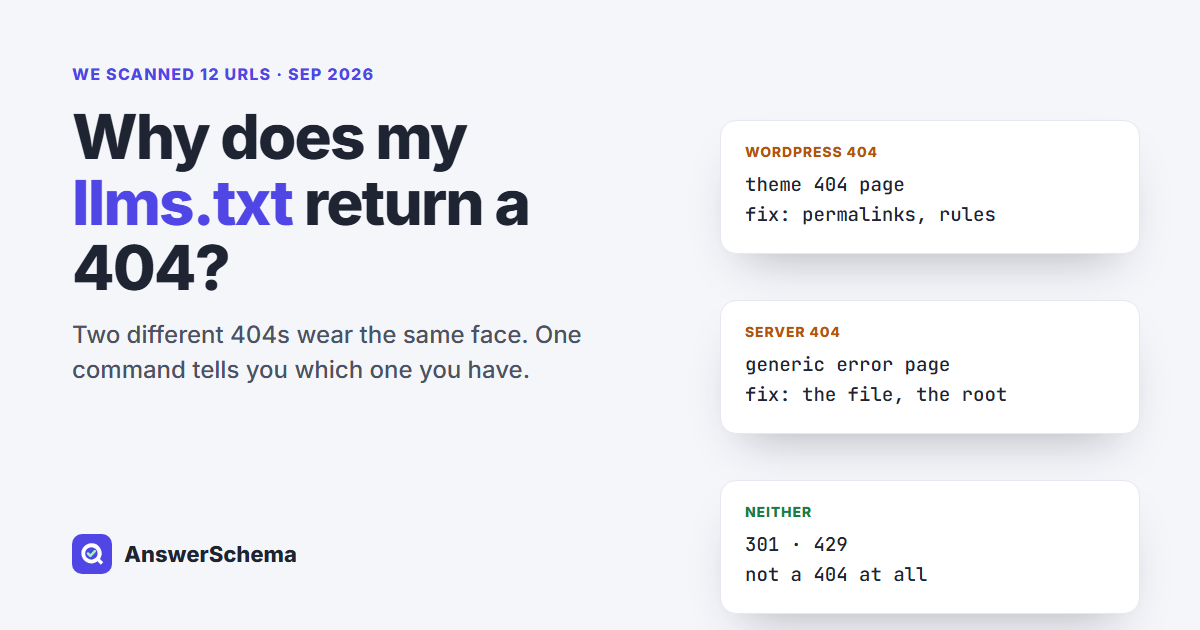
Short answer: An llms.txt 404 in WordPress has two very different origins, and the fix depends on which one you have. Either the request reached WordPress and no rule answered it, or the request never reached WordPress at all. Looking at what the error page is built from tells you which. Everything else follows from that split: re-saving permalinks, clearing caches, moving files.
We checked twelve URLs on September 21, 2026, found five different signatures behind them, and broke our own checker twice along the way. The script, the results and a diagnostic must-use plugin are all below, free to copy.
Why does llms.txt return a 404 in WordPress?
Because two separate systems can produce it. Plugins serve llms.txt in one of two ways: some write a real file into your web root, others intercept the request inside PHP and print the document on the fly. A missing file is a web-server problem. A missing interception is a WordPress routing problem. The same 404 in your browser can mean either one.
- Physical file. Yoast SEO works this way. Its functional specification says that enabling the feature “will create an llms.txt file in the root directory of your website”, using
get_home_path()and falling back to$_SERVER['DOCUMENT_ROOT']. - Generated on the fly. Our own plugin works this way, and so do others. Nothing is written to disk; PHP answers the request and exits.
Advice written for one of these two designs does not transfer to the other. That is why “re-save your permalinks” clears the problem instantly for some readers and changes nothing at all for others.
How do I tell which kind of 404 I have?
Look at what the 404 page is built from. If WordPress produced it, your theme rendered it, so the HTML contains asset paths such as wp-content or wp-includes. A web-server 404 is a generic page with none of those strings. That sorts the two kinds. Redirects and rate limiting are separate cases, which the script below reports separately.
#!/bin/sh
# llms.txt checker: says WHERE the 404 comes from, so you fix the right thing.
# Usage:  sh llms-txt-check.sh https://example.com
S=$(echo "$1" | sed 's:/*$::')
curl -sS -m 20 -D .llms_h -o .llms_b "$S/llms.txt"
C=$(grep -i '^HTTP/' .llms_h | tail -1 | awk '{print $2}')
T=$(grep -i '^content-type:' .llms_h | tail -1 | tr -d '\r' | cut -d' ' -f2-)
N=$(wc -c < .llms_b | tr -d ' ')
echo "status=$C  content-type=$T  bytes=$N"
case "$C" in
  20*) case "$T" in
        text/plain*)
          echo "SERVED: status 200 and a text/plain body. Open it to check the contents."
          if grep -qi '^last-modified:' .llms_h; then
            echo "  Probably a static FILE on disk (Last-Modified present)."
          else
            echo "  Probably GENERATED per request (no Last-Modified)."
          fi ;;
        *) echo "BROKEN: 200, content-type is $T. You are getting a web page, not llms.txt." ;;
       esac ;;
  30*) echo "REDIRECT to: $(grep -i '^location:' .llms_h | tail -1 | tr -d '\r' | cut -d' ' -f2-)"
       echo "  Not a 404. Re-run this script on that exact URL." ;;
  404)
      if grep -qiE 'wp-content|wp-includes|wp-json' .llms_b; then
        echo "WordPress 404: the request REACHED WordPress and no rule matched it."
        echo "  -> feature off, rewrite rules not flushed, plain permalinks, or another plugin owns the URL."
      else
        echo "Server 404: no sign of WordPress in the error page."
        echo "  -> no file on disk, wrong document root, or the server blocks the path."
      fi ;;
  429) echo "RATE LIMITED, not a missing file. Wait and test again." ;;
  *) echo "status $C. Treat this as a server problem, not a WordPress one." ;;
esac
rm -f .llms_h .llms_b
$ sh llms-txt-check.sh https://answerschema.com
status=200 content-type=text/plain; charset=utf-8 bytes=992
SERVED: status 200 and a text/plain body. Open it to check the contents.
Probably GENERATED per request (no Last-Modified).Save it as llms-txt-check.sh and run sh llms-txt-check.sh https://yoursite.com. It needs only curl, and writes two dot-files beside it that it then deletes. It reads public responses, so it cannot see your files, your plugin settings or your server config.
Every line of it is a heuristic, and we broke two while writing this post. Version one called anything over 2,000 bytes a WordPress 404, and misread a static site whose custom 404 page is 5,710 bytes. The fingerprint test above sorts that site correctly, but a page that merely mentions wp-content would still fool it. Version two took the status from a HEAD and the size from a separate GET, so when one host began throttling us mid-scan it printed a confident “OK” over a response that was nothing of the sort. The version above makes one request and reads both from it. The Last-Modified line is a hint too: a missing header suggests PHP built the response, it does not prove it.
What the script found on twelve live URLs
Seven URLs answered with a 200 and a text/plain body, three of them as static files and four as generated responses. Two returned a WordPress 404, one returned a server 404, one redirected, and one rate-limited us. The served files ran from 992 bytes to just under half a megabyte. All readings are from a single scan at 05:50 UTC on September 21, 2026.
| URL | Status | Bytes | What the script said |
|---|---|---|---|
| www.wpbeginner.com | 200 | 509,476 | Probably a static file |
| elementor.com | 200 | 15,451 | Probably a static file |
| kinsta.com | 200 | 9,497 | Probably a static file |
| theplusaddons.com | 200 | 118,713 | Probably generated |
| wordpress.org | 200 | 5,765 | Probably generated |
| www.seopress.org | 200 | 1,323 | Probably generated |
| answerschema.com | 200 | 992 | Probably generated |
| wpengine.com | 404 | 142,997 | WordPress 404 |
| rankmath.com | 404 | 79,608 | WordPress 404 |
| example.com | 404 | 559 | Server 404 |
| wpbeginner.com | 301 | 167 | Redirect to the www host |
| yoast.com | 429 | 17 | Rate limited |
Three rows in that table are the ones worth carrying away, and none of them is about a missing file.
- A 301 is not a 404.
wpbeginner.com/llms.txtredirected to thewwwhost, which served the file with a 200. Test the exact hostname your site canonicalises to before you change anything. - A 429 is not a 404 either. We had queried yoast.com five times in twenty minutes, and it began answering with a 17-byte 429, still doing so half an hour later. Space your tests out and read the status code first.
- A 404 here is not necessarily a fault. Three of the twelve URLs returned one, and the file is optional, as the section further down sets out.
Why does re-saving permalinks fix it so often?
Because plugins that route llms.txt through WordPress’s rewrite system need a rule stored in the database, and that rule is only written when the rules are flushed. Opening Settings, then Permalinks, then pressing Save Changes rebuilds them. Without that rule, the request falls through to WordPress’s catch-all page rule, which resolves llms.txt as a page slug, finds no such page, and renders your theme’s 404 template.
To watch that happen, we ran WordPress’s matching logic against three stored rule sets in PHP 8.5.1, anchoring each pattern with ^ the way WordPress does:
pretty permalinks, plugin rule registered      rules=3 matching=2  first=index.php?mkjb_llms=1
pretty permalinks, plugin rule NOT registered  rules=2 matching=1  first=index.php?pagename=$matches[1]
plain permalinks (no stored rules at all)      rules=0 matching=0  first=NONE -> 404
Read the middle row first. With the plugin rule missing, one rule still matches, and it is the page rule. WordPress does not throw the request away, it goes looking for a page called llms.txt. That is why the 404 you get wears your theme. The bottom row is the other common trap: plain permalinks store no rewrite rules at all, so a rewrite-based llms.txt cannot work until you choose a permalink structure.
The top row carries the subtler problem. Two rules match, so order decides the winner, and the WordPress developer reference warns about exactly that: “When adding multiple rules, note that (as of 4.9.8) rules are applied in the order added, regardless of whether they’re at the top or the bottom.” The same page shows add_rewrite_rule() taking $after = 'bottom' by default. A plugin that leaves the default and lands behind the page rule can register a correct rule that never runs. Our test used a handful of realistic patterns, not a real installation’s full rule set, so read it as a demonstration of the mechanism rather than a measurement of your site.
Caching belongs on the same checklist. If a page cache or CDN stored the 404 before you fixed the rule, purge it and re-test with curl rather than a browser, which keeps its own copy.
Why did my llms.txt stop working after I installed another plugin?
Most likely because something wrote a real llms.txt file into your web root, and on a standard Apache setup a real file takes precedence. It is served straight off disk, so the plugin you expected to answer is never consulted, and deactivating that plugin does not help because the file stays where it is. Yoast’s own specification notes the same precedence from the other side: a physical file has higher priority and is the one displayed at the llms.txt URL.
You can read the reason in the default WordPress rewrite block, documented on developer.wordpress.org:
RewriteCond %{REQUEST_FILENAME} !-f
RewriteCond %{REQUEST_FILENAME} !-d
RewriteRule . /index.php [L]
Requests reach index.php only when the target is not an existing file and not an existing directory, so an llms.txt in the root means PHP never sees the request. That block is Apache’s. NGINX has no .htaccess and is configured separately, so check your own setup rather than assuming the same ordering.
The reverse turns up in the forums too. On a Yoast SEO support thread, a user reported llms.txt still being flagged as a broken link after switching the feature off, and Yoast support replied that they should check the root of the website folder and make sure the file was no longer present. Turning a feature off does not delete what it already wrote.
What if the file is on the server but still 404s?
Then it may sit outside the directory your web server actually serves. On hosts that symlink WordPress core, the path a plugin derives from ABSPATH and the path in $_SERVER['DOCUMENT_ROOT'] are different folders. The file is written, reports itself as created, and is unreachable from the web.
FreshySites, a WordPress agency, published a case study on this for WP Cloud and Pressable: they wrote that AIOSEO placed llms.txt at an ABSPATH-derived path that was not the public web root, and that a must-use plugin writing the same content to $_SERVER['DOCUMENT_ROOT'] resolved it. Their write-up covers that one host and plugin combination, not symlinked hosting in general.
Two things are worth ruling out before you go hunting. Managed platforms may not let you place root files at all: WordPress.com’s support page, last reviewed on August 12, 2026, lists the feature for Business and Commerce plans, with the file in the htdocs root. And some 404s resist every explanation. On a wordpress.org thread titled “404 on LLMs.txt”, the author of the Markdown Mirror plugin first suspected his plugin did not work on NGINX, then tested it and reported back: “I finally installed a NGINX version to test the plugin and…it works.” The thread ends without a documented cause. Ruling a suspect out is progress even when it leaves you without an answer.
How do I diagnose this from inside WordPress?
Drop this must-use plugin in, load one admin URL, and it prints the four things the outside checker cannot see: your permalink structure, how many stored rewrite rules match llms.txt, whether get_home_path() and DOCUMENT_ROOT point at the same folder, and whether a real file already sits in either.
<?php
/**
 * Plugin Name: llms.txt doctor
 * Description: Prints why /llms.txt 404s. Visit /wp-admin/?llmsdoctor=1 as an admin, then delete this file.
 */
add_action( 'admin_notices', function () {
	if ( empty( $_GET['llmsdoctor'] ) || ! current_user_can( 'manage_options' ) ) {
		return;
	}
	$home   = untrailingslashit( get_home_path() );
	$doc    = isset( $_SERVER['DOCUMENT_ROOT'] ) ? untrailingslashit( $_SERVER['DOCUMENT_ROOT'] ) : '';
	$struct = get_option( 'permalink_structure' );
	$rules  = (array) get_option( 'rewrite_rules' );

	$matched = array();
	foreach ( $rules as $pattern => $target ) {
		if ( preg_match( '#^' . str_replace( '#', '\#', $pattern ) . '#', 'llms.txt' ) ) {
			$matched[ $pattern ] = $target;
		}
	}

	$lines   = array();
	$lines[] = 'permalink structure : ' . ( $struct ? $struct : 'PLAIN (this alone breaks a rewrite-based llms.txt)' );
	$lines[] = 'rewrite rules stored: ' . count( $rules );
	$lines[] = 'rules matching llms.txt: ' . count( $matched );
	foreach ( $matched as $p => $t ) {
		$lines[] = '   ' . $p . '  =>  ' . $t;
	}
	$lines[] = 'get_home_path()     : ' . $home;
	$lines[] = 'DOCUMENT_ROOT       : ' . ( $doc ? $doc : '(not set)' );
	if ( $doc && $home !== $doc ) {
		$lines[] = '   ^ these differ: a plugin writing to get_home_path() lands outside the web root.';
	}
	foreach ( array_unique( array_filter( array( $home, $doc ) ) ) as $dir ) {
		$f       = $dir . '/llms.txt';
		$lines[] = 'file ' . $f . ' : ' . ( file_exists( $f )
			? 'EXISTS (' . filesize( $f ) . ' bytes)'
			: 'not present' );
	}
	echo '<div class="notice notice-info"><pre>' . esc_html( implode( "\n", $lines ) ) . '</pre></div>';
} );
Save it as wp-content/mu-plugins/llms-txt-doctor.php, open /wp-admin/?llmsdoctor=1 as an administrator, read the notice, then delete the file. It reads two options, checks two paths, and prints nothing to anyone without the manage_options capability. Read the matching count as a hint, not a verdict: it does not reproduce the full request pipeline, where a plugin can claim a URL without registering a rewrite rule at all. It parses cleanly under php -l on PHP 8.5.1, but we did not run it inside a live install, so try it on staging first.
Does an llms.txt 404 actually hurt my site?
Not in Google Search, by Google’s own account. Its AI features optimization guide, last updated July 10, 2026, states: “You don’t need to create new machine readable files, AI text files, markup, or Markdown to appear in Google Search (including its generative AI capabilities), as Google Search itself doesn’t use them.” The same page adds that keeping such files “will neither harm nor help your site’s visibility or rankings in Google Search, as Google Search ignores them.”
Google’s own tooling is consistent with that. Lighthouse has an llms.txt check under agentic browsing, and its documentation says the audit flags a page when a server error occurs while fetching the file, while a 404 is reported as Not Applicable, because providing the file is “optional at the moment”.
So fix the 404 if you meant to publish the file and something is broken. A URL you advertise should not answer with an error, and other tools and agents may look for it. Do not fix it expecting rankings or AI citations to move. Two smaller points while you are in there. The llmstxt.org page, version 2, published September 3, 2024 and modified August 10, 2026, describes the file as living “at the root path /llms.txt of a website or at any subpath”, so a subdirectory install serves it under that subdirectory, not at the domain root. And when we searched that page’s HTML on September 21, 2026, “llms-full” did not occur once, against 61 occurrences of “llms.txt”, so treat llms-full.txt as a convention some tools adopted rather than part of that document.
Where does AI FAQ Schema fit?
AI FAQ Schema is our free plugin, and its llms.txt is one of the generated kind. Version 1.9.4 hooks init at priority 1 and compares the path of the incoming request with the path of home_url('/') plus llms.txt, then prints the document and exits. It registers no rewrite rule, so plain permalinks and unflushed rules are not among its failure modes. It also cannot override a real llms.txt file in your web root, as its own source comments note, for the server-precedence reason above.
You can see the output at answerschema.com/llms.txt: 992 bytes on September 21, 2026, text/plain; charset=utf-8, an X-Robots-Tag: noindex header and no Last-Modified, which is why our own row above reads “probably generated”. The plugin is free on wordpress.org. If you are also deciding which AI crawlers should reach that file, our post on blocking AI training while allowing AI search has three tested robots.txt setups.
FAQs
Does re-saving permalinks fix every llms.txt 404?
No. It helps when a plugin routes llms.txt through WordPress's rewrite system and the rule is missing from the database. If your 404 comes from the web server rather than from WordPress, or if a real llms.txt file is sitting in your web root, re-saving permalinks changes nothing. Work out which kind of 404 you have first: a WordPress 404 renders your theme's error page, so the HTML contains paths like wp-content or wp-includes.
Why does my llms.txt still 404 after I deleted the plugin?
If the plugin wrote a real file, deactivating or deleting the plugin does not remove it, and a leftover file keeps answering requests. If the plugin generated the file on the fly instead, removing the plugin removes the only thing that was answering, so the URL now returns 404 correctly. Either way, check your web root for an llms.txt file before assuming the plugin is at fault.
Can two plugins both serve llms.txt?
Only one can win a given request. On a standard Apache setup a real file on disk is served by the web server and never reaches PHP, because the default WordPress .htaccess routes a request to index.php only when the target is not an existing file. Among plugins that generate the file in PHP, the one that answers earliest wins. Enable the feature in one plugin and switch it off in the others.
Will fixing an llms.txt 404 improve my rankings or AI citations?
There is no basis to expect that from Google Search. Google's AI features optimization guide, last updated on July 10, 2026, says you do not need machine-readable files, AI text files, markup or Markdown to appear in Google Search including its generative AI capabilities, and that such files neither harm nor help visibility or rankings because Search ignores them. Fix the 404 because a URL you advertise should not return an error, not because you expect a ranking change.
Does a 404 on llms.txt fail a Lighthouse audit?
No. Chrome's documentation for the Lighthouse llms.txt audit says the audit flags a page when a server error occurs while fetching the file, and that a 404 result is reported as Not Applicable because providing the file is optional at the moment. A 500 or a timeout is a different matter and is worth investigating.
My llms.txt works at the www address but 404s without it. Is that a problem?
That is a redirect, not a missing file. In our scan on September 21, 2026, one site answered a request to its non-www address with a 301 to the www address, which then served the file with a 200. Test the exact hostname your site canonicalises to, and follow redirects before concluding anything is broken.
The checker says 429 instead of 404. What does that mean?
A 429 is rate limiting. The server is refusing your request because you have made too many too quickly, not because the file is missing. During our scan one host started returning a 17-byte 429 after five requests in twenty minutes, and was still doing so half an hour later. Wait, then test once rather than in a loop.