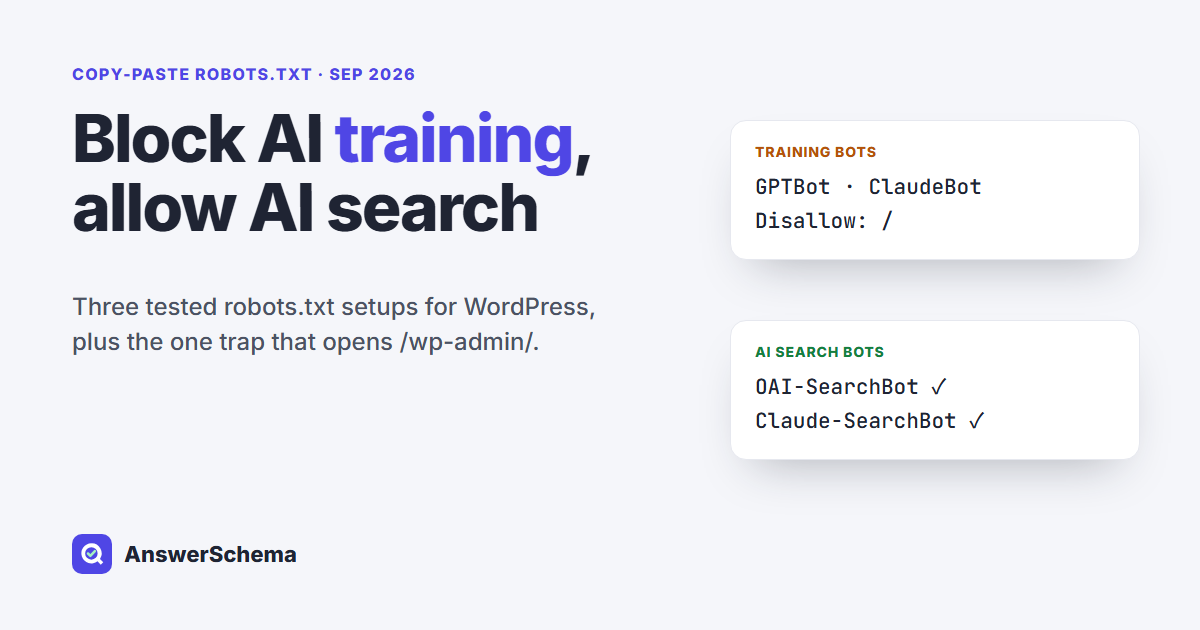
Short answer: Yes, you can block AI training but allow AI search with robots.txt, because OpenAI, Anthropic and others use separate tokens for training and search. Add Disallow: / groups for training tokens such as GPTBot, ClaudeBot, Google-Extended, Applebot-Extended, CCBot and meta-externalagent, and leave OAI-SearchBot, Claude-SearchBot and PerplexityBot alone. It only works on crawlers that choose to follow robots.txt.
Below are three copy-paste robots.txt setups for WordPress, a small plugin file that adds the rules for you, and the results of running all three setups through a robots.txt parser on September 18, 2026. We also cover two trade-offs that the ranking guides we read left out.
Which AI crawlers train models and which ones power AI search?
OpenAI and Anthropic each publish separate crawlers for model training, search, and user-requested fetches. Google, Apple, Perplexity, Meta and Common Crawl split those jobs differently. OpenAI says each of its settings “is independent of the others,” so a site can allow OAI-SearchBot while disallowing GPTBot. The table groups the tokens by what their owners say they do, as of September 18, 2026.
| Company | Training token | Search token | User-triggered fetcher | Source |
|---|---|---|---|---|
| OpenAI | GPTBot | OAI-SearchBot | ChatGPT-User | OpenAI crawlers |
| Anthropic | ClaudeBot | Claude-SearchBot | Claude-User | Anthropic help center |
| Perplexity | none listed | PerplexityBot | Perplexity-User | Perplexity crawlers |
| Google-Extended (also Gemini grounding) | Googlebot | n/a | Google common crawlers | |
| Apple | Applebot-Extended | Applebot | n/a | About Applebot |
| Common Crawl | CCBot (open dataset) | n/a | n/a | CCBot |
| Meta | meta-externalagent | n/a | meta-externalfetcher | Meta web crawlers |
Two of these tokens never crawl on their own. Google says Google-Extended “doesn’t have a separate HTTP request user agent string,” and Apple says “Applebot-Extended does not crawl webpages.” Both are opt-out labels read from your robots.txt by Google’s existing crawlers and by Applebot. Perplexity says PerplexityBot “is not used to crawl content for AI foundation models,” which is why it has no training row. Meta describes meta-externalagent as crawling for training AI models or for indexing content for its products, so blocking it covers both.
What does a “block training, allow search” robots.txt look like?
It is WordPress’s default robots.txt plus one Disallow: / group per training token. You do not need to add Allow lines for the search bots. A bot with no group of its own follows the User-agent: * group, and WordPress’s default group only blocks /wp-admin/. Pick one of these three setups.
Setup A: block AI training, allow AI search
User-agent: *
Disallow: /wp-admin/
Allow: /wp-admin/admin-ajax.php

User-agent: GPTBot
Disallow: /

User-agent: ClaudeBot
Disallow: /

User-agent: Google-Extended
Disallow: /

User-agent: Applebot-Extended
Disallow: /

User-agent: CCBot
Disallow: /

User-agent: meta-externalagent
Disallow: /
Setup B: also block AI search and user fetchers, keep Google and Bing search
Use Setup A and add these groups under it. This also asks ChatGPT search, Claude search and Perplexity to leave your pages out, so choose it only if that is what you want. The user-triggered fetchers may not follow it (more on that below).
User-agent: OAI-SearchBot
Disallow: /

User-agent: Claude-SearchBot
Disallow: /

User-agent: PerplexityBot
Disallow: /

User-agent: ChatGPT-User
Disallow: /

User-agent: Claude-User
Disallow: /

User-agent: Perplexity-User
Disallow: /
Setup C: allow everything
Keep WordPress’s default file (the first three lines of Setup A) and add nothing. If AI answers send you visitors, this is the setup to compare against. If you use a firewall or CDN, check its bot settings too, because your robots.txt will not show what they block.
What happened when we tested the three setups?
We ran each setup through Python 3.14’s built-in robots.txt parser (urllib.robotparser) on September 18, 2026 and asked whether 14 crawler tokens could fetch a normal post and /wp-admin/. Every setup behaved as intended. The parser is a stand-in for a real crawler: it shows the file says what you meant, not that a given bot obeys it.
| Crawler token | Setup A | Setup B | Setup C |
|---|---|---|---|
| GPTBot, ClaudeBot, Google-Extended, Applebot-Extended, CCBot, meta-externalagent | Blocked | Blocked | Allowed |
| OAI-SearchBot, Claude-SearchBot, PerplexityBot | Allowed | Blocked | Allowed |
| ChatGPT-User, Claude-User, Perplexity-User | Allowed | Blocked | Allowed |
| Googlebot, Bingbot | Allowed | Allowed | Allowed |
Every tested token on /wp-admin/ | Blocked | Blocked | Blocked |
The test also caught one trap. Some guides add User-agent: OAI-SearchBot with Allow: / to “make sure” the search bot gets in. When we added that group, the parser let OAI-SearchBot into /wp-admin/. The reason is in the robots.txt standard, RFC 9309: a crawler obeys only the group that names it and falls back to * only when no group matches. Once a bot has its own group, your * rules stop applying to it. Leave search bots out of the file, or copy your * rules into their group.
Adding the rules in WordPress
First, check whether your robots.txt is virtual or a real file. WordPress builds a virtual robots.txt on the fly and lets code change it through the robots_txt filter. If a physical robots.txt sits in your site’s root folder, the web server usually sends that file instead, and nothing added through WordPress reaches crawlers.
- Physical file: edit it over SFTP or your host’s file manager and paste your setup.
- Virtual file, SEO plugin installed: if your SEO plugin has a robots.txt editor, paste the extra groups there.
- Virtual file, no editor: use the small plugin below.
- WordPress in a subfolder (for example
example.com/blog/): WordPress core only adds its robots.txt route “if installed at the root,” so edit the file at the domain root instead.
Save this as wp-content/mu-plugins/ai-training-optout.php (create the mu-plugins folder if it doesn’t exist). It adds the Setup A groups to the virtual robots.txt and does nothing when “Discourage search engines from indexing this site” is checked.
<?php
/**
 * Plugin Name: AI Training Opt-Out (robots.txt)
 * Description: Adds Disallow rules for AI training crawlers to WordPress's virtual robots.txt. AI search bots are left alone.
 */
add_filter( 'robots_txt', function ( $output, $public ) {
	if ( ! $public ) {
		return $output; // "Discourage search engines" is on: leave WordPress's output alone.
	}
	$training_bots = array( 'GPTBot', 'ClaudeBot', 'Google-Extended', 'Applebot-Extended', 'CCBot', 'meta-externalagent' );
	$output .= "\n# Block AI training crawlers\n";
	foreach ( $training_bots as $bot ) {
		$output .= "User-agent: {$bot}\nDisallow: /\n\n";
	}
	return $output;
}, 20, 2 );
We ran this file with PHP 8.2 through the hook system from WordPress 7.0.4 (wp-includes/plugin.php) and the same default lines core’s do_robots() prints. With the site public, the output was the three default lines followed by the six Disallow: / groups. With “Discourage search engines” turned on, the output was unchanged. We did not test it behind every host or cache, so open yoursite.com/robots.txt after saving and confirm the groups are there.
Does blocking Google-Extended remove me from AI Overviews?
Not according to Google’s documentation. Google says Google-Extended “does not impact a site’s inclusion in Google Search nor is it used as a ranking signal.” Google’s page on AI features says a page shown as a link in AI Overviews or AI Mode must be indexed and eligible to show in Search with a snippet. It names nosnippet, data-nosnippet, max-snippet and noindex as the controls for those features, not a robots.txt token.
The trade-off runs the other way. Google’s definition says Google-Extended covers training future Gemini models and also “grounding” in Gemini Apps and Grounding with Google Search on Vertex AI. So blocking it is not a pure training opt-out. If you want your pages used as live sources in the Gemini app, delete the Google-Extended group from Setup A.
Do AI bots actually obey robots.txt?
The ones that say so, mostly. RFC 9309 states that robots.txt rules “are not a form of access authorization,” so compliance is up to each crawler. Anthropic and Common Crawl say their bots honor robots.txt. The user-triggered fetchers are the weak spot: OpenAI says robots.txt rules “may not apply” to ChatGPT-User, and Perplexity says Perplexity-User “generally ignores robots.txt rules.”
- Expect a delay. OpenAI says it can take about 24 hours after a robots.txt change for its search systems to adjust.
- Watch for fakes. Common Crawl warns that some crawlers falsely identify themselves as CCBot. A user-agent string alone proves nothing.
- Check your CDN. A firewall or CDN bot setting can block a crawler that your robots.txt allows. On September 15, 2026, Cloudflare’s blog announced changes to its AI bot controls, including a “Disallow AI Training” option that publishes a no-training preference in robots.txt. If your site uses Cloudflare, review those settings next to your file.
- Bing uses a page tag, not a robots.txt token. In 2023, Microsoft said the
NOARCHIVEmeta tag keeps a page out of what it then called Bing Chat answers and out of training for its foundation models. That is a meta tag on the page, not a robots.txt line.
Where does AI FAQ Schema fit?
Our free WordPress plugin, AI FAQ Schema, has an AI crawler table with a Block checkbox for 13 tokens, including every training token in Setup A. It writes the same kind of Disallow: / groups to the virtual robots.txt, so it does nothing if you have a physical file. It does not list Claude-SearchBot, so to block that one, add the Claude-SearchBot group from Setup B to your robots.txt or add ‘Claude-SearchBot’ to the array in the snippet above. Everything is allowed by default. If you are also cleaning up structured data, our test of whether FAQ schema still works in 2026 covers that side, and if the llms.txt you point those crawlers at answers with an error, our guide to fixing an llms.txt 404 in WordPress has a free script that tells you whether WordPress or your web server produced it.
FAQs
Can I block AI training but still show up in ChatGPT search?
Yes. OpenAI uses GPTBot for training and OAI-SearchBot for ChatGPT search, and it says each setting is independent. Add a Disallow: / group for GPTBot and leave OAI-SearchBot out of your robots.txt so it follows your default rules.
Will blocking GPTBot hurt my Google rankings?
No. GPTBot is OpenAI's crawler, and Google Search uses Googlebot. Blocking Google-Extended does not affect Google Search either: Google says it does not impact inclusion in Search and is not a ranking signal.
Why doesn't my robots.txt change show up on my WordPress site?
A physical robots.txt file in your site's root folder is usually served instead of WordPress's virtual one, so filters and plugin settings never reach crawlers. Edit the physical file or delete it. Also clear your page cache and check that WordPress is installed at the domain root.
Is a robots.txt block enough to stop AI scraping?
No. robots.txt is a request that well-behaved crawlers follow, not access control. Some user-triggered fetchers, such as Perplexity-User, say they generally ignore it, and some bots fake their names. To actually enforce a block, you need server or CDN rules, not robots.txt.
Should I block Google-Extended?
Only if you accept a trade-off. Google-Extended covers training future Gemini models and grounding in Gemini Apps and Vertex AI, so blocking it can also stop your pages being used as live sources there. Google says it does not affect inclusion in Google Search.