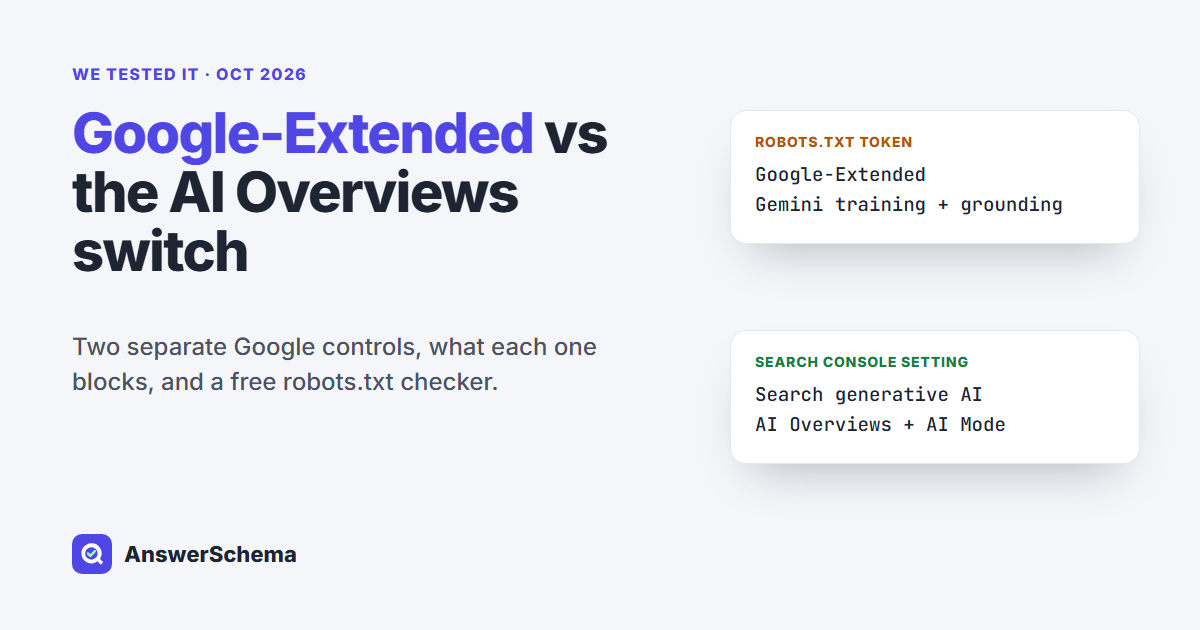
Short answer: Google-Extended is a robots.txt token, not a crawler. Disallow it to keep your content out of future Gemini model training and Gemini grounding. It does not change your Google Search rankings, and it does not remove you from AI Overviews. To opt out of AI Overviews and AI Mode, use the Search generative AI setting in Search Console (Settings), which Google had rolled out to all sites by Aug 31, 2026.
Tested on Oct 6, 2026. What we tested: we read Google’s crawler page, the Search Console help page for the new control and the UK regulator’s order, then ran the free checker below on five sample robots.txt files and on the live robots.txt and home page of 12 sites: ours plus 11 news sites and pages that rank for “google-extended”. One site refused our script, so its robots.txt went unread. What we did not test: the Search Console switch itself on a live property, how fast Gemini reacts to a robots.txt change, or whether any of these sites appear in Gemini answers.
What is Google-Extended?
Google-Extended is a name you can put in robots.txt to tell Google whether your pages may be used for its Gemini models. Google’s crawler documentation calls it a “standalone product token”. It covers two uses: training future Gemini models that power Gemini Apps and the Vertex AI API, and grounding, which means feeding pages from the Google Search index to Gemini at answer time in Gemini Apps and in Grounding with Google Search on Vertex AI.
Google announced it on Sep 28, 2023, when the product was still called Bard. Google’s changelog lists two rewrites of the description since then, and some guides still describe the 2023 version. The same page says Google-Extended “does not impact a site’s inclusion in Google Search nor is it used as a ranking signal in Google Search.”
Does Google-Extended have its own user agent?
No. You won’t see “Google-Extended” as a user agent in your server logs. Google’s page says it “doesn’t have a separate HTTP request user agent string” and that crawling is done with Google’s existing user agents. The token only controls what Google may do with what it crawled.
This matters because some bot directories tell you to look for it. One page that ranks for the term lists the standard Googlebot string as Google-Extended’s user agent and suggests an Apache rule that matches “Google-Extended” in the user-agent header. That rule can never fire. Another tells you to request your home page “with Google-Extended’s user agent” to test access, which you can’t do either. Google documents it only as a robots.txt token.
What does blocking Google-Extended stop, and what does it leave alone?
Blocking it stops Gemini training and Gemini grounding on your content. It leaves Google Search, rankings and AI Overviews alone. Since Aug 31, 2026, every site has a second, separate switch in Search Console for AI Overviews and AI Mode. Here is how the controls split up:
| Control | Where you set it | What it covers | What it does not touch |
|---|---|---|---|
| Google-Extended | robots.txt | Training of Gemini models; grounding in Gemini Apps and Vertex AI | Search inclusion and ranking; showing up in AI Overviews |
| Search generative AI control | Search Console > Settings | AI Overviews, AI Mode, generative AI in Discover: links, content and grounding | AI training; the rest of Search |
| nosnippet, max-snippet (meta tag or header); data-nosnippet (HTML only) | Page HTML or HTTP header | How much text Google may show, AI features included | Crawling |
| noindex | Page HTML or HTTP header | Removes the page from Google Search, AI features included | Nothing in Search is left |
| Googlebot rules | robots.txt | Crawling for Search itself | Not an indexing control: a blocked URL can still show, without a description |
One wrinkle: the two Google pages don’t describe Google-Extended’s reach the same way. The crawler page lists Gemini Apps and Vertex AI. The newer Search Console help page says the switch “doesn’t affect AI training” and that to limit training of the models behind AI Overviews and AI Mode, you use Google-Extended. If keeping out of training is your goal, block Google-Extended either way.
How do I opt out of AI Overviews and AI Mode?
Open Search Console, go to Settings, then Search generative AI, and pick “Exclude my site’s links and content from Search generative AI features.” Google says content drops out within 1 to 2 days, though caching can stretch that. The default is Include (child properties inherit from their parent). Google’s help page lists what Exclude does:
- Your links and content stop appearing in AI Overviews, AI Mode and generative AI features in Discover, and stop grounding those answers.
- You get no traffic or impressions from those features.
- Google says the choice is not used as a ranking or inclusion signal for the rest of Search.
- Content from other sites still shows, and Google warns it “may appear similar to yours.”
- Your pages may still help Google’s systems understand language in Search as a whole.
Settings follow the property tree. A URL-prefix property such as https://example.com/blog/ inherits from the closest parent property that set the control, and by default from the domain property. So you can exclude a section without excluding the whole site, if you have that section verified as its own property.
Before you flip it, look at the Search Generative AI performance report in the same account. It shows impressions, pages, countries and devices for AI features. Google says it had reached all sites by Aug 31, 2026, the same date as the switch. If AI Overviews bring you impressions today, Exclude gives them up.
Can I block AI Overviews with robots.txt?
Not with Google-Extended. Google’s AI features page says robots.txt rules for Googlebot are the Search control, and AI is part of Search. Blocking Googlebot stops Google from crawling your pages for Search, so they lose their content in results; Google says a blocked URL can still appear, just without a description. Before the Search Console switch existed, the page-level tools were nosnippet, data-nosnippet and max-snippet, and they still work: they limit how much of your text Google can show, AI features included.
The difference is scope. Snippet controls shrink what Google shows from a page in all of Search. The Search Console switch removes a whole site or section from the AI features only, and leaves your normal snippets alone.
What did the free checker find on 12 sites?
Three sites name Google-Extended and block it. One blocks it without naming it. The other seven that we could read let it in, ours included. The surprise was Reuters: it never mentions Google-Extended, but it lists Googlebot by name in an allowed group and ends with User-agent: * plus Disallow: /. Google-Extended has no group of its own there, so it falls back to * and is blocked.
| Site | Google-Extended group | Google-Extended at / | Googlebot at / | Snippet control on home page |
|---|---|---|---|---|
| answerschema.com (ours) | falls back to * | allowed | allowed | max-snippet:-1 |
| nytimes.com | own group | BLOCKED | allowed | not read (HTTP 403) |
| bbc.co.uk | own group | BLOCKED | allowed | none |
| cnn.com | own group | BLOCKED | allowed | none |
| reuters.com | falls back to * | BLOCKED | allowed | not read (HTTP 401) |
| theguardian.com | falls back to * | allowed | allowed | none |
| mariehaynes.com | falls back to * | allowed | allowed | max-snippet:-1 |
| amicited.com | falls back to * | allowed | allowed | none |
| see-geo.com | falls back to * | allowed | allowed | max-snippet:-1 |
| mediavine.com | falls back to * | allowed | allowed | max-snippet:-1 |
| searchengineland.com | falls back to * | allowed | allowed | not read (HTTP 403) |
| datadome.co | robots.txt not read (HTTP 403) | — | — | not read (HTTP 403) |
The Guardian row is worth a second look. Its robots.txt opens with a note that AI and LLM uses aren’t permitted under its terms, and it blocks Google-CloudVertexBot by name, yet no line names Google-Extended. Under Google’s matching rules the token gets the * group, which allows almost everything.
How does the checker decide which rules apply?
It follows Google’s robots.txt rules for choosing a group and ranking rules. A Google crawler uses only one group: the one whose user agent matches it most specifically. If there is no named group, it uses *. Named groups and the * group are never merged. Inside the chosen group, the longest matching path wins, and on a tie Google picks the less restrictive rule.
That one-group rule is where most mistakes come from. Two common setups:
- Googlebot allowed, everything else blocked (the Reuters pattern). Google-Extended falls into
*and is blocked, whether you meant it or not. - Google-Extended added to a shared AI group, for example under
User-agent: GPTBot. That is fine: a group can list several agents, and every agent listed follows its rules.
Here is the script. It needs only Python 3 and uses the certifi certificate list if it’s installed. Run python3 google-ai-controls-check.py yoursite.com.
#!/usr/bin/env python3
"""google-ai-controls-check.py - which Google AI controls does a site use?

Usage:  python3 google-ai-controls-check.py example.com [more.com ...]

For each site it reads /robots.txt and the home page, then reports:
  1. the robots.txt group Google-Extended follows, and whether "/" is blocked for it
  2. the same for Googlebot (the crawler for Search itself)
  3. snippet controls on the home page (robots meta + X-Robots-Tag):
     nosnippet / max-snippet / noindex, plus a rough text search for data-nosnippet
It cannot see the Search Console "Search generative AI" setting; only the
site owner can, under Settings in Search Console.

Group choice and rule precedence follow Google's robots.txt documentation:
a token uses its own named group (name match ignoring case, a /version
suffix or a trailing *), else the "*" group,
never both; then the longest matching rule wins, and "allow" wins a tie.
Not covered: 4xx/5xx robots.txt handling, size limits, percent-encoding.
"""
import re
import ssl
import sys
import urllib.error
import urllib.request

UA = "Mozilla/5.0 (compatible; google-ai-controls-check/1.0)"
try:  # use certifi's CA list when it is installed
    import certifi
    CTX = ssl.create_default_context(cafile=certifi.where())
except ImportError:
    CTX = ssl.create_default_context()


def fetch(url):
    req = urllib.request.Request(url, headers={"User-Agent": UA})
    try:
        with urllib.request.urlopen(req, timeout=20, context=CTX) as r:
            return r.status, dict(r.headers), r.read(400_000).decode("utf-8", "replace")
    except urllib.error.HTTPError as e:
        return e.code, dict(e.headers or {}), ""
    except Exception as e:  # DNS, TLS, timeout
        return None, {}, str(e)


def parse_groups(txt):
    """Return [(agents, [(kind, path), ...]), ...] per RFC 9309 grouping."""
    groups, agents, rules, last = [], [], [], None
    for line in txt.splitlines():
        line = line.split("#", 1)[0].strip()
        if ":" not in line:
            continue
        key, val = (s.strip() for s in line.split(":", 1))
        key = key.lower()
        if key == "user-agent":
            if last == "rule":  # a new group starts
                groups.append((agents, rules))
                agents, rules = [], []
            agents.append(val.lower())
            last = "agent"
        elif key in ("allow", "disallow") and agents:
            rules.append((key, val))
            last = "rule"
    if agents:
        groups.append((agents, rules))
    return groups


def group_for(groups, token):
    """Rules Google's crawler follows: its own named group(s), else the * group."""
    clean = lambda a: a.split("/")[0].rstrip("*")  # "googlebot/1.2" == "googlebot*" == "googlebot"
    own = [rule for agents, rules in groups if token.lower() in map(clean, agents) for rule in rules]
    if any(token.lower() in map(clean, agents) for agents, _ in groups):
        return "own group", own
    if any("*" in agents for agents, _ in groups):
        return "falls back to *", [rule for agents, rules in groups if "*" in agents for rule in rules]
    return "no group", []


def blocked(rules, path="/"):
    best = None  # (length, is_allow)
    for kind, pat in rules:
        if kind == "disallow" and pat == "":
            continue  # empty Disallow allows everything
        rx = "^" + re.escape(pat).replace(r"\*", ".*").replace(r"\$", "$")
        if re.match(rx, path):
            cand = (len(pat), kind == "allow")
            if best is None or cand > best:
                best = cand
    return best is not None and not best[1]


def check(site):
    base = site if site.startswith("http") else "https://" + site
    base = base.rstrip("/")
    print(f"\n== {base}")
    code, _, txt = fetch(base + "/robots.txt")
    if code != 200:
        print(f"robots.txt: HTTP {code} {txt[:80]} - rules not read, check by hand")
    groups = parse_groups(txt) if code == 200 else None
    for token in ("Google-Extended", "Googlebot") if groups is not None else ():
        how, rules = group_for(groups, token)
        state = "BLOCKED at /" if blocked(rules) else "allowed at /"
        print(f"{token:16} {how:16} {state}")
    code, headers, html = fetch(base + "/")
    xrt = " ".join(v for k, v in headers.items() if k.lower() == "x-robots-tag")
    metas = re.findall(r'<meta[^>]+name=["\'](?:robots|googlebot)["\'][^>]*>', html, re.I)
    found = []
    for src in [xrt] + metas:
        for word in ("noindex", "nosnippet", "max-snippet"):
            m = re.search(word + r"(:\s*-?\d+)?", src, re.I)
            if m:
                found.append(m.group(0).replace(" ", ""))
    if "data-nosnippet" in html:
        found.append("data-nosnippet")
    print(f"home page HTTP {code}; snippet controls: {', '.join(sorted(set(found))) or 'none'}")


if __name__ == "__main__":
    if len(sys.argv) < 2:
        sys.exit(__doc__)
    for s in sys.argv[1:]:
        check(s)
Our five test files gave the expected answers. A file with only WordPress’s default group allowed both Google-Extended and Googlebot. Disallow: / plus Allow: /blog/ blocked the home page and allowed a blog URL, because the longer rule wins.
Should a WordPress site block Google-Extended?
Block it if you don’t want future Gemini models trained on your writing or your pages used to ground answers in Gemini Apps. Leave it alone if you’d rather be a source Gemini can draw from. It costs you nothing in Google Search either way. WordPress’s default robots.txt has one * group that names no AI token, so Google-Extended is allowed unless you add a rule. To block only Google-Extended, add this below the default group:
User-agent: Google-Extended
Disallow: /
This is a separate decision from AI Overviews. Another option is the opposite: no Gemini training, but still visible in AI Overviews. That is Google-Extended blocked and the Search Console control left on Include. More changes are coming in the UK. The Competition and Markets Authority ordered Google on June 3, 2026 to give publishers controls over training and grounding for Gemini as well as AI Overviews and AI Mode, including grounding opt-outs by directory and by page. Under the notice, most of the requirement takes effect six months after it was issued and the page-level part after nine months. Those are dates in an order; Google’s Search Console help page doesn’t describe a page-level option yet.
If you also want to block other companies’ training bots while staying in their AI search, we tested three copy-paste setups in Block AI Training, Allow AI Search, and OpenAI’s search crawler has its own guide.
Where does AI FAQ Schema fit?
AI FAQ Schema is our free WordPress plugin. Its AI Crawler Control screen lists 13 AI crawlers, including Google-Extended, GPTBot and OAI-SearchBot, and lets you allow or block each one through WordPress’s robots.txt without editing the file. Everything is allowed by default. It can’t change the Search Console switch; that one lives in your Search Console account. If a physical robots.txt file sits in your web root, the server sends that file and the plugin’s rules never reach crawlers, so run the checker above after any change.
Free tool: paste any robots.txt and see which of 16 crawlers it blocks with our AI Crawler robots.txt Checker.
FAQs
What is Google-Extended?
Google-Extended is a robots.txt token that controls whether Google may use your content to train future Gemini models and to ground answers in Gemini Apps and Vertex AI. It is not a crawler. Google fetches pages with its normal user agents, and the token only governs later use.
Does blocking Google-Extended hurt my Google rankings?
No. Google's crawler page says Google-Extended does not affect inclusion in Google Search and is not used as a ranking signal. Blocking Googlebot stops Google from crawling your pages for Search; blocking Google-Extended does not.
Does blocking Google-Extended remove my site from AI Overviews?
No. AI Overviews and AI Mode have their own switch: Search Console, Settings, Search generative AI, then Exclude. Google had rolled it out to all sites by Aug 31, 2026. Snippet controls such as nosnippet also limit what AI features can show.
Why can't I find Google-Extended in my server logs?
Because it never visits under that name. Google says Google-Extended has no separate HTTP user agent string; crawling uses Google's existing user agents. Any guide that tells you to match Google-Extended in the user-agent header is describing a rule that will never fire.
If my robots.txt blocks all bots except Googlebot, is Google-Extended blocked?
Yes. A Google token with no group of its own follows the * group, and named groups are not merged with it. If * says Disallow: / and only Googlebot is allowed by name, Google-Extended is blocked. Reuters' robots.txt works this way.
How long does the Search Console AI opt-out take?
Google says content is excluded within 1 to 2 days after the control goes live, though some content can take longer because of caching. The setting does not affect AI training; Google points to Google-Extended for that.