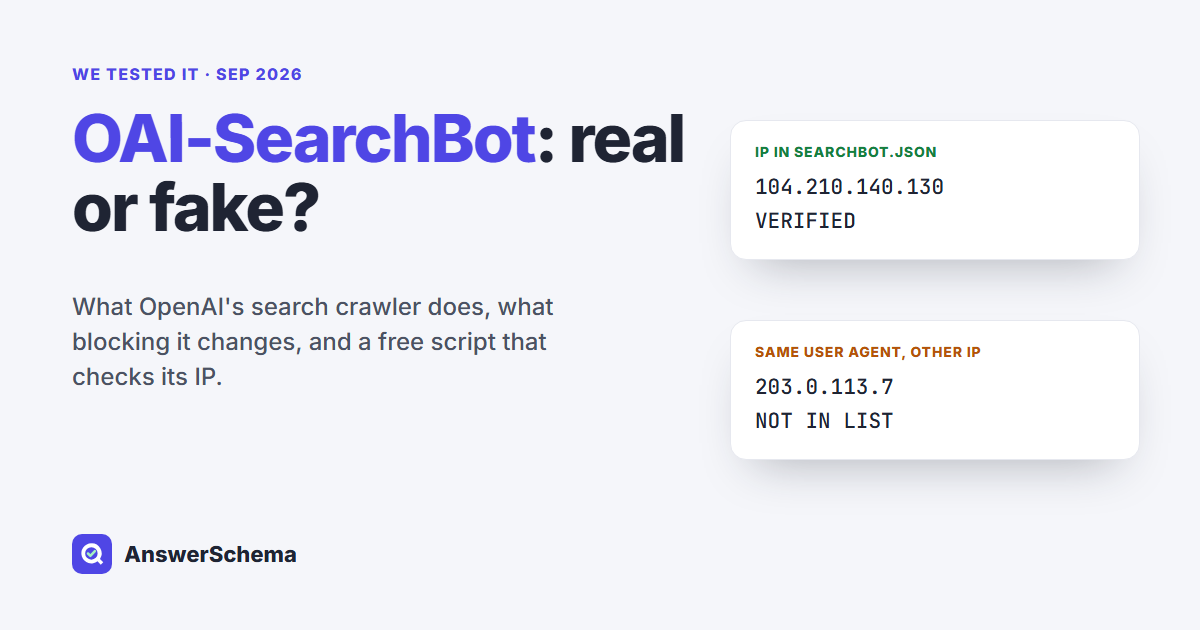
Short answer: OAI-SearchBot is the OpenAI crawler that finds pages for ChatGPT search. If you want your pages quoted in ChatGPT search answers, leave it allowed in robots.txt. If you want to stay out of AI training, block GPTBot instead, because OpenAI treats the two as separate settings. Anyone can copy its user agent, so check the visiting IP against OpenAI’s published list before you trust it.
Tested on Sep 29, 2026. What we tested: we downloaded OpenAI’s three IP lists, ran the checker below on a six-line sample log we wrote ourselves (four addresses from OpenAI’s lists, two reserved test addresses), and ran a robots.txt check on 12 pages: ours plus 11 that Google or Bing showed for “oai-searchbot” (two refused our script with HTTP 403). What we did not test: real traffic in our own server logs, how long ChatGPT takes to react to a robots.txt change, or whether our pages appear in ChatGPT search.
What is OAI-SearchBot?
OAI-SearchBot is OpenAI’s search crawler. OpenAI’s crawler documentation says it “is used to surface websites in search results in ChatGPT’s search features.” OpenAI recommends allowing it in robots.txt and allowing requests from its published IP ranges if you want your site to appear in those results.
This is the user agent string OpenAI lists today. OpenAI notes that the version number may change:
Mozilla/5.0 (Macintosh; Intel Mac OS X 10_15_7) AppleWebKit/537.36 (KHTML, like Gecko) Chrome/131.0.0.0 Safari/537.36; compatible; OAI-SearchBot/1.4; +https://openai.com/searchbotWhen it fetches robots.txt, it may add a robots.txt marker to that string (OAI-SearchBot/1.4; robots.txt;). That marker is useful when your logs don’t record paths: a hit with the marker is a request for your robots.txt, not for a page.
How is OAI-SearchBot different from GPTBot and ChatGPT-User?
OpenAI’s crawler page lists four agents with four different jobs. OAI-SearchBot feeds ChatGPT search. GPTBot collects content that may be used to train OpenAI’s models. ChatGPT-User visits a page when a person’s request in ChatGPT needs it. OAI-AdsBot checks landing pages submitted as ChatGPT ads. OAI-SearchBot and GPTBot are separate robots.txt settings, so you can allow one and block the other.
| User agent | What it does | robots.txt token | IP list |
|---|---|---|---|
| OAI-SearchBot | Finds pages for ChatGPT search answers | Search opt-out | searchbot.json |
| GPTBot | Crawls content that may be used for model training | Training opt-out | gptbot.json |
| ChatGPT-User | Opens a page because a user asked | “robots.txt rules may not apply” | chatgpt-user.json |
| OAI-AdsBot | Checks pages submitted as ChatGPT ads; not used for training | No robots.txt rule listed; only visits submitted ad pages | adsbot.json |
Two details in OpenAI’s page are easy to miss. First, if you allow both GPTBot and OAI-SearchBot, OpenAI says it “may use the results from just one crawl for both use cases.” So a visit from one of them can serve both purposes. Your robots.txt rules still signal what the content may be used for. Second, ChatGPT-User “is not used to determine whether content may appear in Search.” Blocking it does not keep you out of ChatGPT search; OAI-SearchBot is the setting that does.
What happens if you block OAI-SearchBot?
If you block OAI-SearchBot, your pages stop being shown in ChatGPT search answers, but they can still appear as plain links. OpenAI’s help center adds that ChatGPT Atlas may show just the link and page title when it learns a blocked URL from another search provider or from links on other pages. To keep even the link and title out, OpenAI says to use a noindex meta tag, and its crawler must be allowed to fetch the page to read that tag.
That last point trips people up. A robots.txt block and a noindex tag work against each other: if the crawler can’t fetch the page, it never sees the noindex. Pick one goal per page:
- Keep it out of answers, links are fine: block OAI-SearchBot in robots.txt.
- Keep it out of ChatGPT search, link and title included: allow OAI-SearchBot and add
<meta name="robots" content="noindex">to the page. - Keep it out of training only: block GPTBot and leave OAI-SearchBot alone.
Changes are not instant. OpenAI says it can take about 24 hours after a robots.txt update for its search systems to adjust.
Should you allow OAI-SearchBot on a WordPress site?
Allow it if you want ChatGPT search to quote your pages; WordPress’s default robots.txt already does. The file WordPress generates has a single group: User-agent: *, with a Disallow line for /wp-admin/ and an Allow line for admin-ajax.php. No rule names any AI crawler, so OAI-SearchBot may fetch every public page.
Ours is that default file, and it lets all three OpenAI crawlers in. If you want search but not training, add one group for GPTBot and nothing for OAI-SearchBot:
User-agent: *

Disallow: /wp-admin/

Allow: /wp-admin/admin-ajax.php


User-agent: GPTBot

Disallow: /
Don’t add a separate User-agent: OAI-SearchBot group with Allow: / “to be safe”. A crawler that finds its own group ignores the * group, so that extra block can open /wp-admin/ to it. We tested that trap, along with three full robots.txt setups, in Block AI Training, Allow AI Search.
How do you check that OAI-SearchBot is really OpenAI?
Match the visitor’s IP address against OpenAI’s published list. A user agent is just text, and any scraper can send “OAI-SearchBot”. OpenAI publishes the real addresses as JSON files: searchbot.json for OAI-SearchBot, gptbot.json for GPTBot and chatgpt-user.json for ChatGPT-User. If the IP isn’t in the list for the agent it claims to be, treat the request as unverified.
Here is the free checker we wrote. It uses only Python’s standard library and does two jobs: it checks a log file against OpenAI’s lists, downloading them every time, and it tells you what a site’s robots.txt says to OAI-SearchBot, GPTBot and ChatGPT-User. The robots mode uses Python’s built-in parser, which reads rules in file order, so treat it as a quick check.
#!/usr/bin/env python3

"""oai-bot-check.py - is that "OAI-SearchBot" really OpenAI, and does your robots.txt let it in?


  python3 oai-bot-check.py log  access.log        # verify OpenAI user agents in a log against OpenAI's IP lists

  python3 oai-bot-check.py robots https://example.com/some-page/   # what robots.txt says to each OpenAI token


Standard library only. The IP lists come from OpenAI's published JSON files.

"""

import ipaddress, json, re, sys, urllib.request, urllib.robotparser

from urllib.parse import urlsplit


BOTS = {  # user-agent token -> OpenAI's published IP list

    "OAI-SearchBot": "https://openai.com/searchbot.json",

    "GPTBot": "https://openai.com/gptbot.json",

    "ChatGPT-User": "https://openai.com/chatgpt-user.json",

}

UA = "Mozilla/5.0 (compatible; oai-bot-check/1.0)"


def get(url):

    req = urllib.request.Request(url, headers={"User-Agent": UA})

    with urllib.request.urlopen(req, timeout=20) as r:

        return r.read().decode("utf-8", "replace")


def ranges(url):

    data = json.loads(get(url))

    return [ipaddress.ip_network(p.get("ipv4Prefix") or p.get("ipv6Prefix"))

            for p in data.get("prefixes", [])]


def check_log(path):

    nets = {bot: ranges(url) for bot, url in BOTS.items()}

    for bot, n in nets.items():

        print(f"{bot}: {len(n)} published ranges")

    ip_re = re.compile(r"^(\S+)")

    for line in open(path, encoding="utf-8", errors="replace"):

        bot = next((b for b in BOTS if b.lower() in line.lower()), None)

        if not bot:

            continue

        ip = ipaddress.ip_address(ip_re.match(line).group(1))

        ok = any(ip in n for n in nets[bot])

        print(f"{'VERIFIED   ' if ok else 'NOT IN LIST'}  {bot:<13} {ip}")


def check_robots(page):

    parts = urlsplit(page)

    rp = urllib.robotparser.RobotFileParser()

    rp.parse(get(f"{parts.scheme}://{parts.netloc}/robots.txt").splitlines())

    for bot in BOTS:

        print(f"{bot:<13} {'allowed' if rp.can_fetch(bot, page) else 'BLOCKED'}  {page}")


if __name__ == "__main__":

    if len(sys.argv) != 3 or sys.argv[1] not in ("log", "robots"):

        sys.exit(__doc__)

    (check_log if sys.argv[1] == "log" else check_robots)(sys.argv[2])
The log mode expects the client IP as the first field of each line, which is the default in Apache and Nginx access logs. If your host puts a proxy or CDN in front of WordPress, the first field may be the proxy’s address instead, and you’ll need the log that records the real client IP.
What did the checker show on our sample log?
It sorted all six lines correctly. The four requests from addresses in OpenAI’s lists came back as verified. The two requests from reserved test addresses, one claiming to be OAI-SearchBot and one claiming to be GPTBot, came back as not in the list. Here is the exact output:
OAI-SearchBot: 39 published ranges

GPTBot: 18 published ranges

ChatGPT-User: 230 published ranges

VERIFIED     OAI-SearchBot 104.210.140.130

VERIFIED     OAI-SearchBot 104.210.140.131

NOT IN LIST  OAI-SearchBot 203.0.113.7

VERIFIED     GPTBot        132.196.86.9

VERIFIED     ChatGPT-User  104.208.184.200

NOT IN LIST  GPTBot        198.51.100.23
The fake OAI-SearchBot line in our sample asked for /wp-login.php, which a search crawler has no reason to visit. That’s the pattern to look for in real logs: a trusted name, an unlisted IP and a login path a search crawler has no use for.
The lists themselves had a few surprises. They are all IPv4. They were created at different times: the OAI-SearchBot file was created on January 2, 2026, while the GPTBot and ChatGPT-User files were a week old or less. And six address ranges appear in both the GPTBot and the OAI-SearchBot lists, which fits OpenAI’s note that one crawl can serve both. Because the lists change, log mode downloads them fresh every time instead of hard-coding them.
How do you see OAI-SearchBot in your own logs?
Count the OpenAI user agents first, then verify the ones that matter. This one-liner works on any plain-text access log:
grep -oE 'OAI-SearchBot|GPTBot|ChatGPT-User' access.log | sort | uniq -c

grep -cE 'OAI-SearchBot/[0-9.]+; robots\.txt' access.log   # requests carrying OAI-SearchBot's robots.txt marker
On our sample log it printed 3 OAI-SearchBot, 2 GPTBot and 1 ChatGPT-User lines, plus 1 robots.txt request. A count tells you who claims to visit. The checker tells you who really did.
To see what the crawler brings back, look at referrals instead of crawls. OpenAI says ChatGPT adds utm_source=chatgpt.com to links it sends, so visits from ChatGPT search show up under that source in your analytics reports.
What do other OAI-SearchBot guides get wrong?
Three errors showed up in the guides we read: an old version number, an outdated product name, and mixing up search with training. We read the pages that rank for “oai-searchbot” and compared them with OpenAI’s own documentation:
- “Blocking it only stops training.” One crawler directory on page one says blocking OAI-SearchBot “will only prevent AI training” and won’t affect traffic. OpenAI says the opposite: GPTBot is the training setting, and blocking OAI-SearchBot removes you from ChatGPT search answers.
- “Prototype” and “SearchGPT”. The same directory calls it a prototype crawler for SearchGPT. OpenAI’s page now simply says it powers ChatGPT’s search features.
- Version 1.3. A WordPress guide updated in July 2026 lists
OAI-SearchBot/1.3. OpenAI’s example string now reads 1.4. Match on the name, not the version. - Missing pieces. We didn’t find the one-crawl note, the 24-hour delay or the robots.txt marker in the guides we read, and none of them included code that checks an IP against OpenAI’s lists.
We also ran the robots mode of our checker on the 12 pages from the test box. Ten loaded, and every one lets OAI-SearchBot, GPTBot and ChatGPT-User in. The other two blocked our script with an HTTP 403 before it could read their robots.txt.
OpenAI calls allowing OAI-SearchBot what makes a site eligible; it doesn’t promise a citation. We asked ChatGPT eight questions and tracked which pages it found, listed and showed in How to Get Cited by ChatGPT.
Seeing other AI bots in your logs? Our list of AI crawlers covers 28 names from 10 companies and has a script that checks a visit against 20 published IP lists.
Where does AI FAQ Schema fit?
AI FAQ Schema is our free WordPress plugin. Its AI Crawler Control screen lists 13 AI crawlers, including GPTBot and OAI-SearchBot, and lets you allow or block each one through your robots.txt, so you can block training and keep search without editing the file by hand. It does not verify IP addresses; use the script above for that. Allowing OAI-SearchBot makes your pages eligible for ChatGPT search. It does not guarantee a citation, and no plugin can.
Free tool: paste any robots.txt and see which of 16 crawlers it blocks with our AI Crawler robots.txt Checker.
FAQs
What is OAI-SearchBot?
OAI-SearchBot is OpenAI's crawler for ChatGPT search. OpenAI says it is used to surface websites in search results in ChatGPT's search features. It is separate from GPTBot, which collects content that may be used to train OpenAI's models.
Should I block OAI-SearchBot?
Only if you do not want your pages shown in ChatGPT search answers. Blocking it does not stop AI training; GPTBot is the setting for that. OpenAI says blocked sites can still appear as navigational links, and its help center says ChatGPT Atlas may still show a blocked page's link and title. To keep those out, allow the crawler and add a noindex meta tag.
Does blocking GPTBot also block OAI-SearchBot?
No. OpenAI says each setting is independent, so a site can disallow GPTBot and still allow OAI-SearchBot. If you allow both, OpenAI may use one crawl for both purposes, but your robots.txt still signals what the content may be used for.
How can I tell if OAI-SearchBot is fake?
Check the request's IP address against OpenAI's published list at openai.com/searchbot.json. A user agent string can be copied by anyone. If the IP is not in the list, treat the request as unverified, especially if it asks for login or admin pages.
How long does a robots.txt change take to affect ChatGPT search?
OpenAI says it can take about 24 hours after a robots.txt update for its search systems to adjust. Check that the file is live at yoursite.com/robots.txt, then give it a day before judging the result.
Does ChatGPT-User follow robots.txt?
Not always. OpenAI says ChatGPT-User visits pages because a user asked, so robots.txt rules may not apply. It also says ChatGPT-User is not used to decide whether content appears in ChatGPT search; OAI-SearchBot is.