Short answer: A working FAQ schema example is a JSON-LD script with "@context": "https://schema.org", "@type": "FAQPage" and a mainEntity list in which every Question has a name and an acceptedAnswer with text. Copy the first example below, keep the same questions visible on the page, and test it in the Schema Markup Validator. Google’s Rich Results Test no longer shows FAQ items.
Tested on Oct 27, 2026. What we did: sent 4 working examples and 5 broken ones to the Schema Markup Validator and to our free script, ran Google’s Rich Results Test on one of our posts that carries FAQPage markup, and checked the FAQPage code on 11 pages that rank on Google or Bing for this search. What we did not test: how Bing, ChatGPT or any other search or AI system uses the markup, any effect on rankings, and WordPress PHP snippets. Our script reads JSON-LD only, not microdata.
What does a basic FAQ schema example look like?
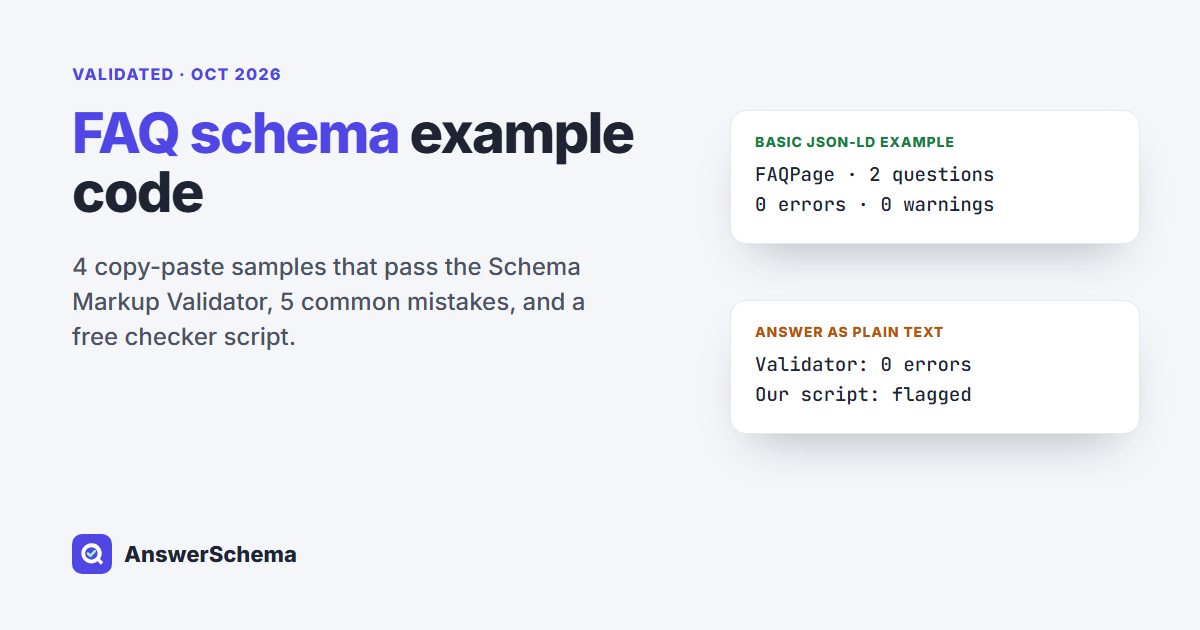
Here is the smallest FAQPage example we would ship: two questions, one answer each. Swap in your own questions and paste it into the page’s <head> or <body>; Google’s intro page describes JSON-LD as a script tag in either one. The Schema Markup Validator found one FAQPage with 0 errors and 0 warnings.
<script type="application/ld+json">
{
  "@context": "https://schema.org",
  "@type": "FAQPage",
  "mainEntity": [
    {
      "@type": "Question",
      "name": "Do you ship to Canada?",
      "acceptedAnswer": {
        "@type": "Answer",
        "text": "Yes. Orders to Canada ship within 2 business days and arrive in 5 to 8 days."
      }
    },
    {
      "@type": "Question",
      "name": "Can I return an opened item?",
      "acceptedAnswer": {
        "@type": "Answer",
        "text": "Yes, within 30 days. Email us your order number and we send a return label."
      }
    }
  ]
}
</script>
Each part has one job:
| Property | What goes in it | Note |
|---|---|---|
@type: FAQPage | Marks the page as a list of frequently asked questions | “A FAQPage is a WebPage presenting one or more Frequently asked questions” |
mainEntity | The list of Question objects | “Indicates the primary entity described in some page” |
name | The question as it appears on the page | — |
acceptedAnswer | An Answer object, not plain text | Expected types: Answer, ItemList |
text | The answer as it appears on the page | Plain text; HTML is accepted (next section) |
Keep the markup and the page in step. Google’s structured data guidelines say: “Don’t mark up content that is not visible to readers of the page.” If a question is in the JSON-LD, readers should be able to find it on the page.
Can an FAQ answer include links and lists?
Yes. The answer text can carry HTML, as long as you escape the double quote marks inside it with a backslash. This example has a link and a numbered list, and the Schema Markup Validator returned 0 errors and 0 warnings for it.
<script type="application/ld+json">
{
  "@context": "https://schema.org",
  "@type": "FAQPage",
  "mainEntity": [
    {
      "@type": "Question",
      "name": "How do I reset my password?",
      "acceptedAnswer": {
        "@type": "Answer",
        "text": "<p>Go to the <a href=\"https://example.com/login\">login page</a> and:</p><ol><li>Click Forgot password.</li><li>Enter your email.</li><li>Open the link we send you.</li></ol>"
      }
    }
  ]
}
</script>
The validator accepting it only shows the HTML is allowed in the field. Write answers that still read well if a tool strips the tags.
How do I add FAQPage to an existing @graph?
If your page already prints one JSON-LD block with an @graph list, add the FAQPage as one more node in that list instead of a second script. Give each node its own @id. The validator read this example as one Article and one FAQPage, with 0 errors and 0 warnings.
<script type="application/ld+json">
{
  "@context": "https://schema.org",
  "@graph": [
    {
      "@type": "Article",
      "@id": "https://example.com/guide/#article",
      "headline": "Shipping guide",
      "author": { "@type": "Person", "name": "Erin" }
    },
    {
      "@type": "FAQPage",
      "@id": "https://example.com/guide/#faq",
      "mainEntity": [
        {
          "@type": "Question",
          "name": "Do you ship to Canada?",
          "acceptedAnswer": {
            "@type": "Answer",
            "text": "Yes. Orders to Canada ship within 2 business days."
          }
        }
      ]
    }
  ]
}
</script>
What does the microdata version look like?
In the microdata version, the labels sit on the visible HTML itself. Google’s structured data intro lists JSON-LD as recommended and says “all 3 formats are equally fine for Google” (JSON-LD, microdata and RDFa). The validator found one FAQPage in this snippet, with 0 errors and 0 warnings.
<div itemscope itemtype="https://schema.org/FAQPage">
  <div itemscope itemprop="mainEntity" itemtype="https://schema.org/Question">
    <h3 itemprop="name">Do you ship to Canada?</h3>
    <div itemscope itemprop="acceptedAnswer" itemtype="https://schema.org/Answer">
      <p itemprop="text">Yes. Orders to Canada ship within 2 business days.</p>
    </div>
  </div>
</div>
Should I use FAQPage or QAPage?
Use FAQPage when you wrote both the questions and the answers. Use QAPage only when visitors can post their own answers to one question, as on a forum thread. Google’s QAPage guide says to use that markup only if “Users must be able to submit answers to the question,” and lists “An FAQ page written by the site itself with no way for users to submit alternative answers” as an invalid use.
That guide is the first Google result for this search, and it is easy to land on it while looking for FAQ code. Its rules are for user-answered pages, so stick with the FAQPage examples above for an FAQ section you write yourself. For a side-by-side test of FAQPage, QAPage and HowTo, see FAQPage vs QAPage vs HowTo.
Which FAQ schema mistakes does the validator miss?
Two of the five broken examples passed the Schema Markup Validator with no errors. We wrote five common mistakes and sent each one to the validator and to our script:
| Mistake | Schema Markup Validator | Our script |
|---|---|---|
| Trailing comma after the last answer | No items found, 1 error: JSON_PARSE_ERROR | NOT VALID JSON, line 11, column 69 |
acceptedAnswer as a plain string | FAQPage, 0 errors, 0 warnings | acceptedAnswer is plain text, not an Answer object |
question and answer instead of name and acceptedAnswer | Errors: TYPE_CONVERSION_FAILED, INVALID_PREDICATE; warning: UNKNOWN_FIELD | 4 problems listed |
"@type": "FAQ" | 1 error: INVALID_ITEMTYPE | 0 FAQPage nodes found |
No @context line | 0 errors, 0 warnings, type read as https://example-test.site/FAQPage | no schema.org @context |
Each one has a one-line fix:
- Trailing comma: delete the comma after the last item in any list or object. JSON does not allow it.
- Plain-string answer: wrap the text in an object:
{"@type": "Answer", "text": "..."}. - Wrong property names: rename
questiontonameandanswertoacceptedAnswer, with the answer as an Answer object. - Wrong type: the type is
FAQPage, one word, with a capital F, A, Q and P. - No context: add
"@context": "https://schema.org"as the first line of the outer object.
The validator is not wrong here. Schema.org’s acceptedAnswer page lists Answer and ItemList as the expected types, but its data model page says that where it expects an object it will often “get a text string”, that search engines “will often accept this markup”, and that validators “are not obliged to treat unexpected structures as errors.” The missing @context case is quieter: without it, the validator never connected the word FAQPage to schema.org. A green result can still hide a plain-text answer or a missing context line.
How do I test FAQ schema now that the Rich Results Test dropped it?
Use the Schema Markup Validator for the schema.org check, then a script like ours for the FAQ-specific checks. Google stopped showing FAQ rich results on May 7, 2026, and in June 2026 it removed its FAQ rich result documentation. The old FAQPage guide URL now opens that changelog note.
We ran the Rich Results Test on our own post Does FAQ Schema Still Work in 2026?, which carries one FAQPage with 5 questions. Google crawled it at 11:11:24 AM and reported “1 valid item detected”: Articles. It showed no FAQ row at all, so in our test a passing Rich Results Test did not report anything on the FAQ markup.
Our free script fills that gap. Save it as faq-schema-check.py and run python3 faq-schema-check.py https://your-site.com/page/, or pass a saved HTML file. It needs Python 3 and nothing else; it uses certifi’s CA list when certifi is installed.
#!/usr/bin/env python3
"""faq-schema-check.py - check the FAQPage JSON-LD on a page or in a file.

Usage:
  python3 faq-schema-check.py https://example.com/page/
  python3 faq-schema-check.py saved-page.html

Checks every <script type="application/ld+json"> block (JSON-LD only, not microdata):
  - does it parse as JSON (and where it breaks if not)
  - each FAQPage node, also inside @graph: @context, mainEntity,
    every Question has name + acceptedAnswer, every Answer has text
  - how many FAQPage nodes the page carries
Uses certifi's CA list when it is installed.
"""
import json, re, ssl, sys, urllib.request

try:
    import certifi
    CTX = ssl.create_default_context(cafile=certifi.where())
except ImportError:
    CTX = ssl.create_default_context()


def load(src):
    if src.startswith(("http://", "https://")):
        req = urllib.request.Request(src, headers={"User-Agent": "Mozilla/5.0 faq-schema-check"})
        with urllib.request.urlopen(req, timeout=30, context=CTX) as r:
            return r.read().decode("utf-8", "replace")
    with open(src, encoding="utf-8") as f:
        return f.read()


def faq_nodes(data, context=None):
    """Yield (node, context) for every FAQPage node, walking lists and @graph."""
    if isinstance(data, list):
        for d in data:
            yield from faq_nodes(d, context)
    elif isinstance(data, dict):
        context = data.get("@context", context)
        t = data.get("@type")
        if t == "FAQPage" or (isinstance(t, list) and "FAQPage" in t):
            yield data, context
        for k, v in data.items():
            if isinstance(v, (dict, list)):
                yield from faq_nodes(v, context)


def problems(node, context):
    out = []
    if not context or "schema.org" not in str(context):
        out.append("no schema.org @context")
    me = node.get("mainEntity")
    if not me:
        return out + ["no mainEntity"]
    for i, q in enumerate(me if isinstance(me, list) else [me], 1):
        if not isinstance(q, dict) or q.get("@type") != "Question":
            out.append(f"item {i}: not a Question")
            continue
        for wrong in ("question", "answer"):
            if wrong in q:
                out.append(f"Q{i}: '{wrong}' is not a schema.org property (use name / acceptedAnswer)")
        if not q.get("name"):
            out.append(f"Q{i}: no name (the question text)")
        a = q.get("acceptedAnswer")
        if a is None:
            out.append(f"Q{i}: no acceptedAnswer")
        elif not isinstance(a, dict):
            out.append(f"Q{i}: acceptedAnswer is plain text, not an Answer object")
        else:
            if a.get("@type") != "Answer":
                out.append(f"Q{i}: acceptedAnswer @type is not Answer")
            if not a.get("text"):
                out.append(f"Q{i}: Answer has no text")
    return out


def main(src):
    page = load(src)
    blocks = re.findall(r'<script[^>]*type=["\']application/ld\+json["\'][^>]*>(.*?)</script>', page, re.S | re.I)
    print(f"{src}: {len(blocks)} JSON-LD block(s)")
    found = 0
    for b, raw in enumerate(blocks, 1):
        try:
            data = json.loads(raw)
        except json.JSONDecodeError as e:
            print(f"  block {b}: NOT VALID JSON - {e.msg} at line {e.lineno}, column {e.colno}")
            continue
        for node, ctx in faq_nodes(data):
            found += 1
            me = node.get("mainEntity") or []
            n = len(me) if isinstance(me, list) else 1
            issues = problems(node, ctx)
            print(f"  block {b}: FAQPage with {n} question(s) - " + ("OK" if not issues else "PROBLEMS"))
            for p in issues:
                print("    -", p)
    hint = {0: "  <- none in JSON-LD; check that @type is spelled FAQPage (microdata is not read)", 1: ""}.get(
        found, "  <- more than one, see if two plugins output FAQ markup")
    print(f"FAQPage nodes on this page: {found}{hint}")


if __name__ == "__main__":
    if len(sys.argv) != 2:
        sys.exit(__doc__)
    main(sys.argv[1])
Here is its output on three live pages. The second one is our own test page, set to noindex, that deliberately carries two FAQPage blocks:
$ python3 faq-schema-check.py https://answerschema.com/does-faq-schema-still-work/
https://answerschema.com/does-faq-schema-still-work/: 2 JSON-LD block(s)
  block 2: FAQPage with 5 question(s) - OK
FAQPage nodes on this page: 1

$ python3 faq-schema-check.py https://answerschema.com/duplicate-faqpage-test/
https://answerschema.com/duplicate-faqpage-test/: 3 JSON-LD block(s)
  block 2: FAQPage with 3 question(s) - OK
  block 3: FAQPage with 2 question(s) - OK
FAQPage nodes on this page: 2  <- more than one, see if two plugins output FAQ markup

$ python3 faq-schema-check.py https://neilpatel.com/blog/faq-schema/
https://neilpatel.com/blog/faq-schema/: 2 JSON-LD block(s)
  block 2: FAQPage with 4 question(s) - OK
FAQPage nodes on this page: 1
If the count is above one, check whether two plugins print FAQ markup on the same page. Our duplicate FAQ schema guide covers what to do about it.
What do the top FAQ schema example pages get wrong?
Mostly the testing advice. We fetched 11 pages that rank for “faq schema example” on Google page one or in Bing’s top 10, leaving out documentation pages and video:
- 8 of the 11 tell readers to check their code in Google’s Rich Results Test.
- Only 4 show FAQPage code as text you can copy: 10 examples in all. Each of the 10 parsed as JSON, with a name and an answer text on every question. The other 7 pages show no FAQPage code as copyable text.
- One, Lawrence Hitches’ guide, says Google’s Rich Results Test “no longer reports FAQ results.”
- One dates the end of FAQ rich results to “early 2024”. Google’s changelog gives May 7, 2026.
- One, which Google’s AI Overview cited for this search, still says “Google maintains documentation” for FAQPage markup.
The examples themselves were fine. What has gone stale is the advice around them.
What should I check before publishing FAQ schema?
Run through this list once per page. Every item comes from the tests and sources above:
- The block parses as JSON: no trailing commas, and every double quote mark (
") inside an answer escaped with a backslash. @contextishttps://schema.organd@typeisFAQPage.- Every Question has a
nameand anacceptedAnswerobject withtext. - Every question and answer in the markup is also visible on the page.
- The page carries one FAQPage, not two from different plugins.
- The Schema Markup Validator shows 0 errors, and our script reports OK.
Should I still add FAQ schema in 2026?
Add it if you want your questions described in a standard format, and keep your expectations plain. FAQPage is still a live schema.org type, and every working example above validated. Google no longer shows FAQ rich results, and its AI features guide says “Structured data isn’t required for generative AI search, and there’s no special schema.org markup you need to add.” For the longer answer, see our live-site test. For how to word the answers themselves, see our guide to how to write FAQ answers.
Where does our free plugin fit?
FAQ Schema & AI FAQ Generator is our free WordPress plugin. Its FAQ block shows the questions on the page and adds the FAQPage JSON-LD for you, so the two come from the same content. Since version 1.10.0 the block sidebar warns when the same post also has a Yoast, Rank Math, AIOSEO, Spectra or Kadence FAQ block that prints FAQPage markup. Not on WordPress? Our free FAQ schema generator builds the same code in your browser.
FAQs
What is an example of FAQ schema?
A JSON-LD script with @context https://schema.org, @type FAQPage and a mainEntity list. Each item is a Question with a name and an acceptedAnswer, and the acceptedAnswer is an Answer with a text property. The first code block in this post is a complete two-question example.
Where do I put FAQ schema code?
In a script tag in the head or the body of the page. Google describes JSON-LD as a script embedded in either one. The questions and answers in the script should also be visible on the same page.
Can I test FAQ schema in Google's Rich Results Test?
Not anymore. In our test on Oct 27, 2026, the Rich Results Test listed only Articles for a page with five FAQ questions. Use the Schema Markup Validator plus a check for FAQ-specific mistakes, such as a plain-text acceptedAnswer.
Why does my FAQ schema pass the validator but still look wrong?
The Schema Markup Validator accepts some structures that schema.org does not list as expected. In our test it gave 0 errors for an acceptedAnswer written as plain text and for a block with no @context line.
Should I use JSON-LD or microdata for FAQ schema?
Either works. Google recommends JSON-LD in most cases and says all three formats are equally fine for Google. Microdata labels the visible HTML directly.